Data Processing
Data quality sets the ceiling for training. The MinT Enterprise data-processing module covers the full pipeline of "raw corpus → training samples → evaluation samples," offering helper-model configuration, raw-data processing, and Rubric scoring-sheet building.
2.1 Configure a helper model
Based on best practices for training models, the raw datasets provided often do not meet training requirements and need the most advanced models to clean and augment them. Mind Lab provides self-hosted advanced models (GLM5.2, DeepSeek-v4, GPT-5.5, etc.) as helper models for data processing; to use them, contact sales at sales@mindlab.ltd, or connect your own API on the "Model Configuration" page.
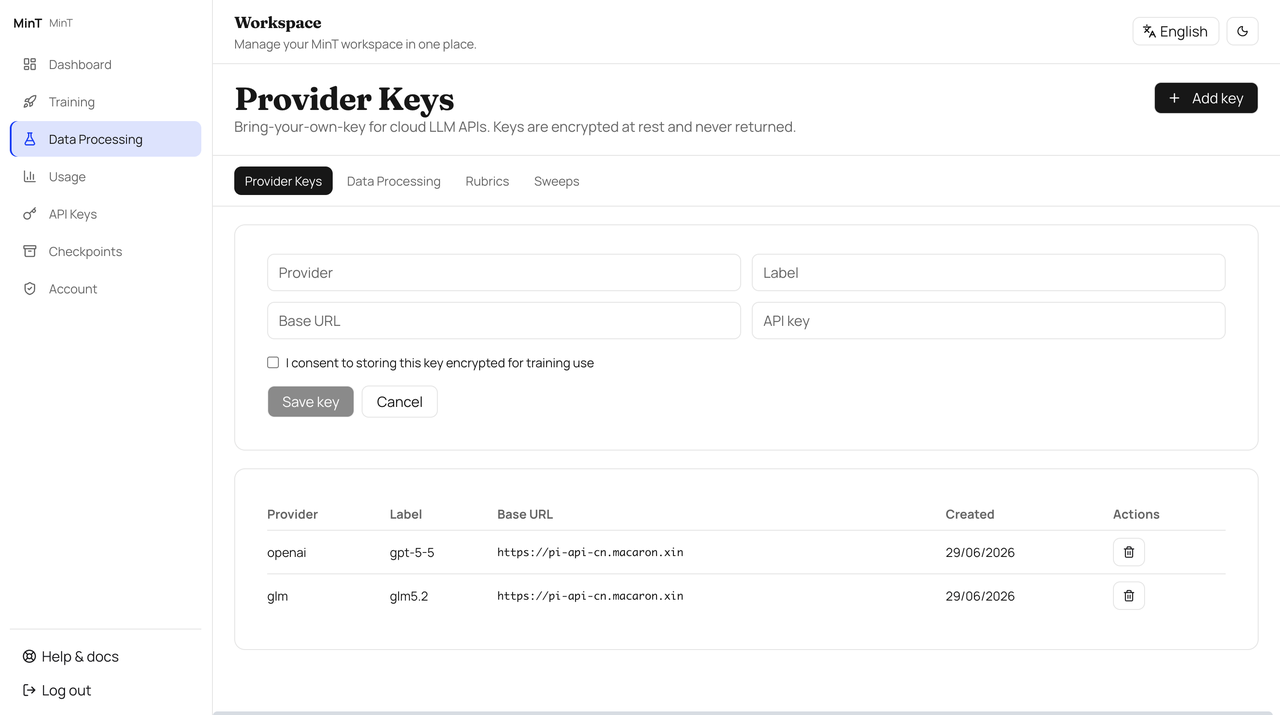
Figure 2.1 — Configure a helper model
2.2 Process the raw dataset
The workflow has five steps: upload data → choose a processing model → set the generation scale → preview samples → build the dataset.
Upload a dataset
Upload the raw dataset you have prepared locally for cleaning. Three upload formats are supported.
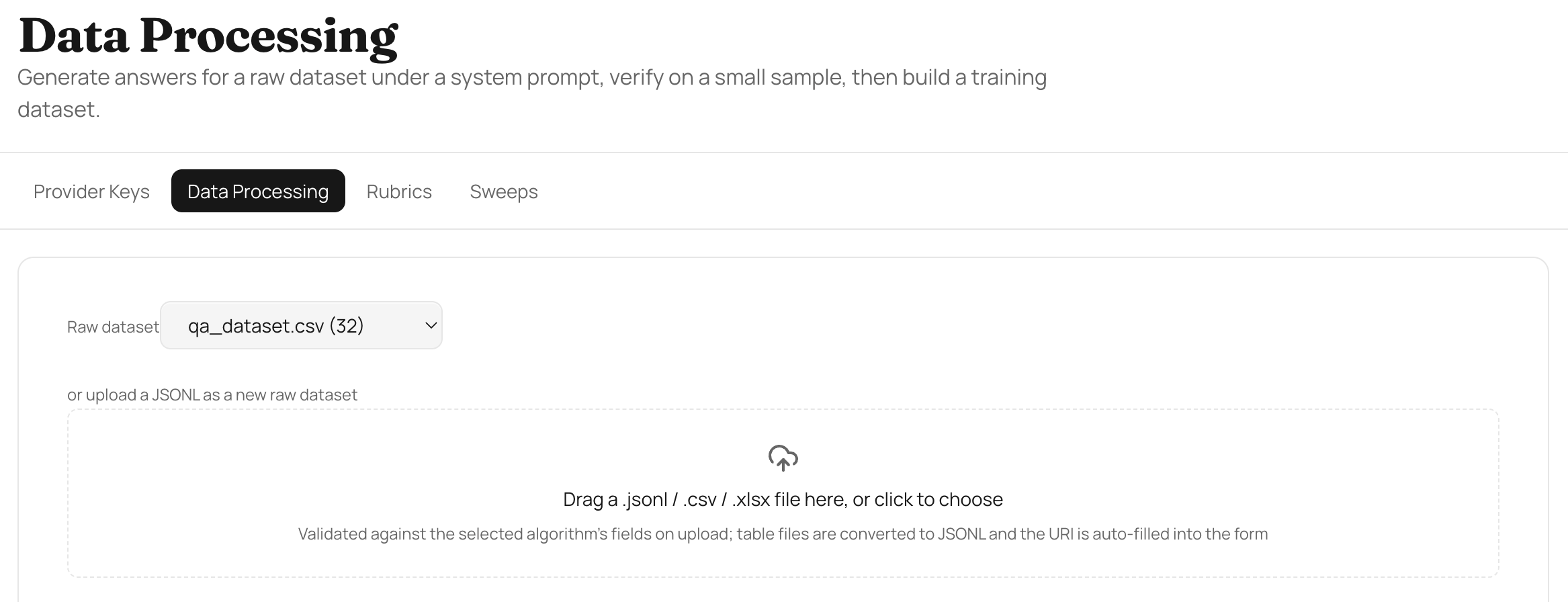
Figure 2.2a — Upload raw dataset (three formats supported)
Choose a processing model and system prompt
Choose the model for data processing and enter your processing intent, i.e. the system prompt.
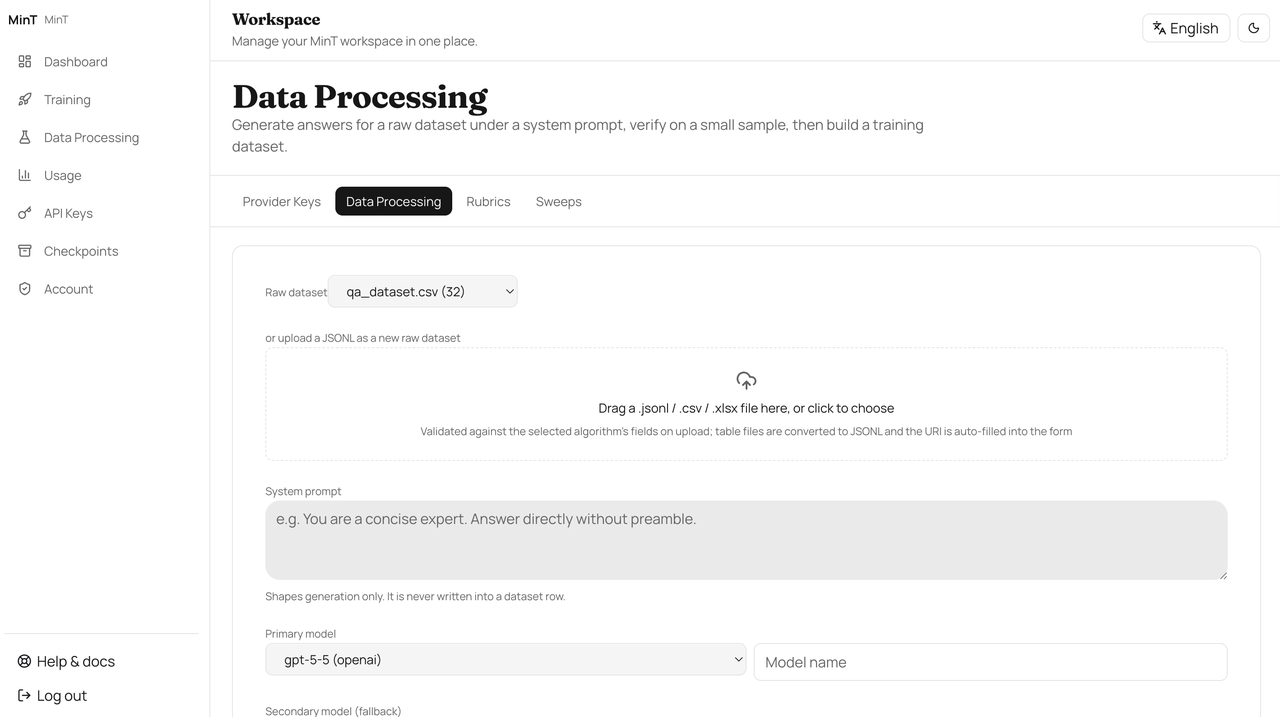
Figure 2.2b — Choose a processing model, enter the system prompt
Set the dataset name and generation scale
Choose the dataset name and generation scale, controlling how many samples each raw record expands into.
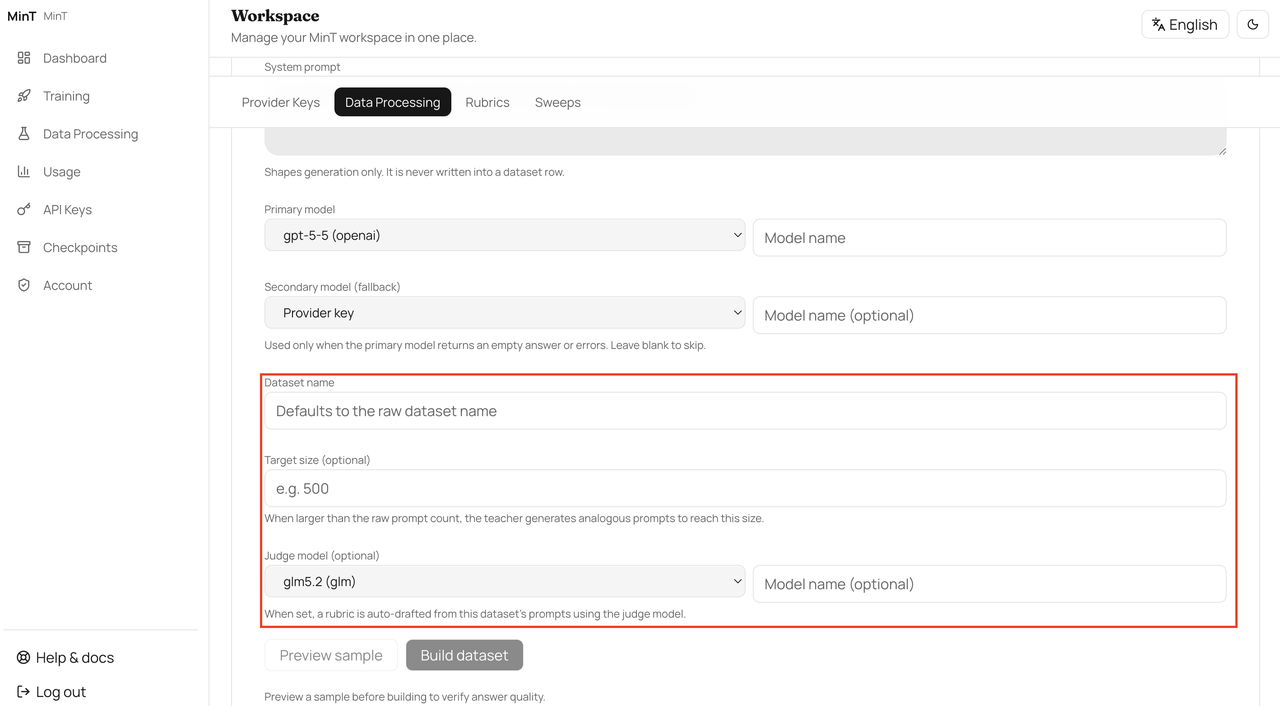
Figure 2.2c — Set the dataset name and generation scale
Preview samples
Before building the dataset, inspect how the samples are generated. If you are not satisfied, adjust the model and system prompt and regenerate; only trigger the full build once you are satisfied.
Build the dataset
Click "Build Dataset" to build a dataset of the appropriate size according to the scale you chose.
2.3 Build a Rubric
A Rubric scoring sheet quantifies "right or wrong" into comparable scores during the evaluation stage. Based on the dataset you built, generate a Judge scoring sheet for evaluation; the model trained afterward is scored against this sheet.
Note
Once a Rubric is frozen, we recommend keeping it unchanged for the whole project. If you must upgrade the scoring ruler midway, record the before/after score mapping at the same time to avoid data distortion caused by the "cost of changing the ruler."
Next steps
After data processing, go to Start Training to create a training job.
Network & Proxy
All calls from the MinT client to the cluster go over HTTPS. Enterprise offers more options at the network layer than Community: VPC, private links, and firewall policies. With private delivery, the cluster can be installed entirely inside the customer's intranet.
Start Training
After data processing, move on to the training module. MinT Enterprise offers panel-based training-job configuration and also lets you submit the same job via an SDK script. Every training job centers on LoRA fine-tuning.